
 Facebook
 X
 LinkedIn
 Forward

● Create Your EthosCE Account
All participants must have an EthosCE account to record attendance and claim continuing education credit.
SIU Medicine Users: Use Single Sign-On (SSO) with your existing SIU credentials.
External Participants: Select the standard registration option and follow the prompts to create your account.
Get Started Here: Login or Register Page
● Complete Your Profile
Once you've created your account, select My Account in the upper right-hand corner and edit your profile to ensure your information is accurate and complete.
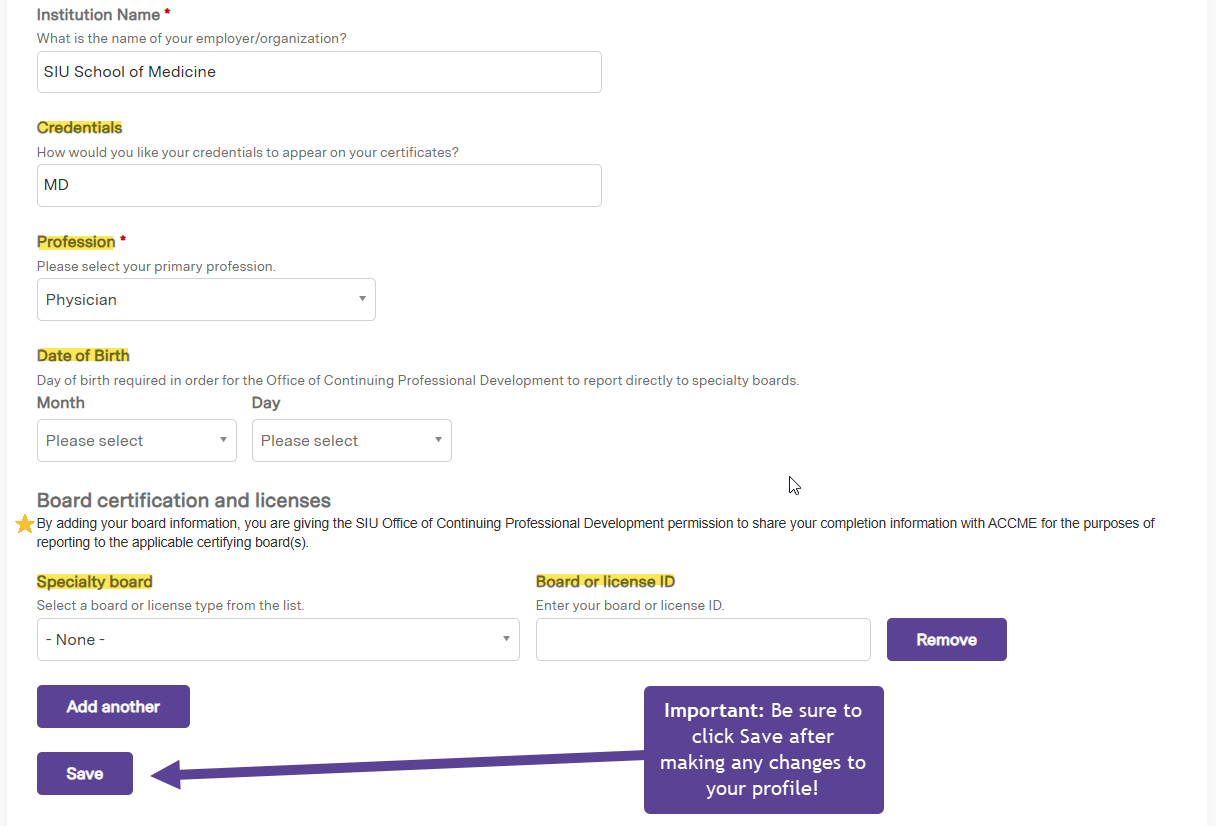
- Professional Credentials & Board Information
- Add your professional credentials and applicable board information to claim the appropriate credit and allow eligible credit to be reported to your board.
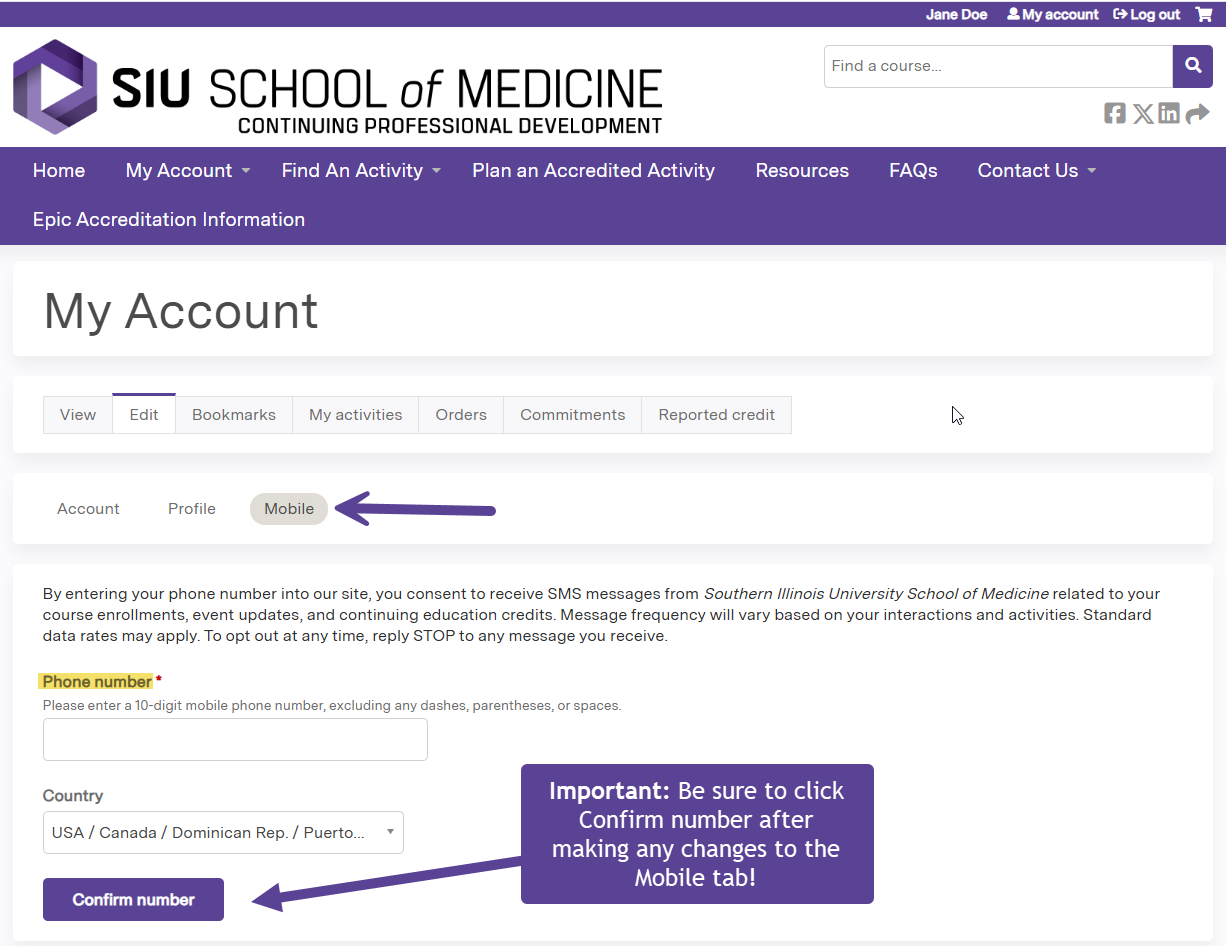
- Mobile Phone Number
- Add your mobile number to use the SMS attendance feature. A mobile number is required to record attendance by text message.
● Record Your Attendance
Participants are responsible for recording their own attendance at each RSS session. Choose one of the following options:
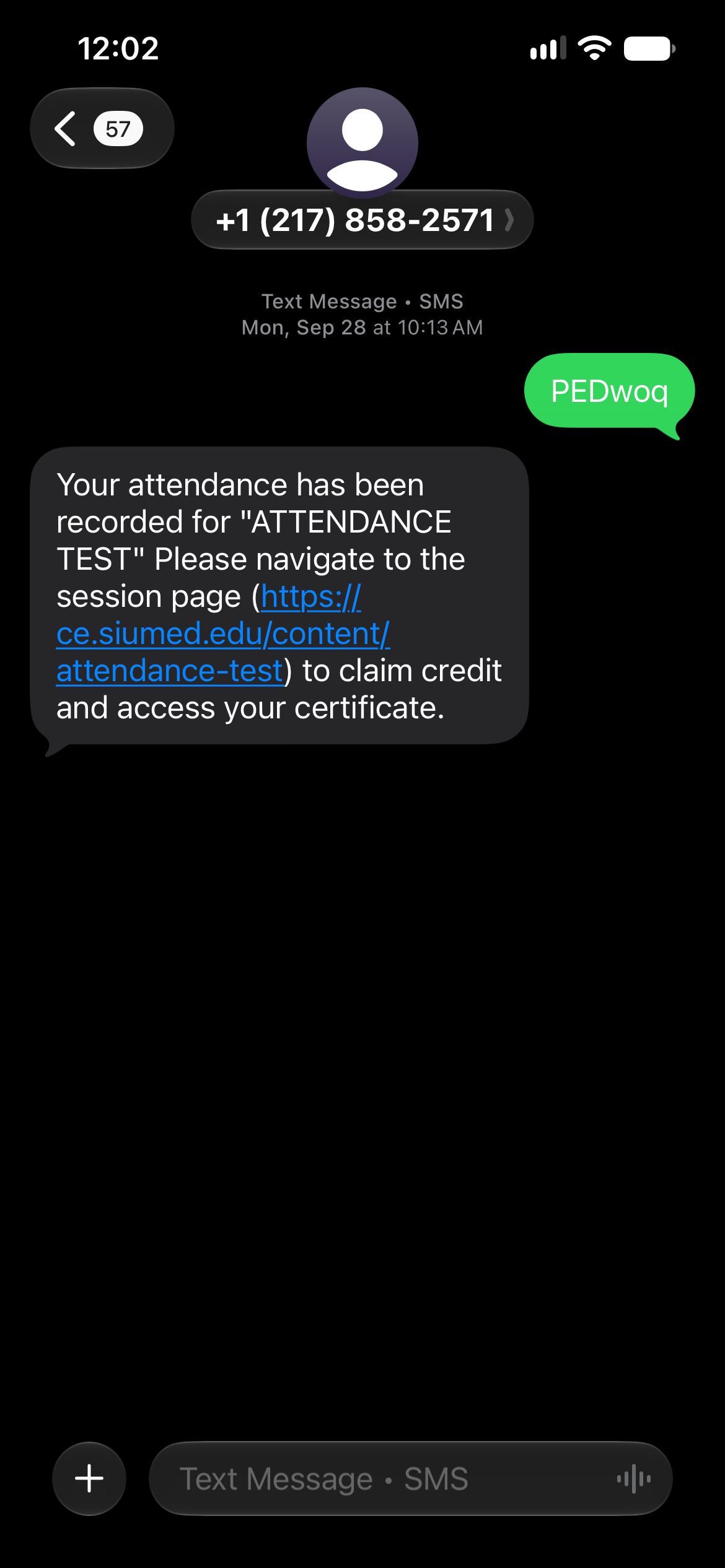
- Option 1: Text Message
- Text the session attendance code to the designated EthosCE phone number.
- Option 2: Online
- Sign in to EthosCE and access your session to record attendance.
Your RSS coordinator will provide the attendance code and any session-specific instructions.
● Claim Your Continuing Education Credit
After attending a session and recording your attendance, follow the instructions within each course to claim your continuing education credit.
- Complete any required steps associated with the activity to finalize your credit claim.
If you need to come back to the activity at a later date (no later than 30 days): View My Activities
⬡ Access Your CE Records
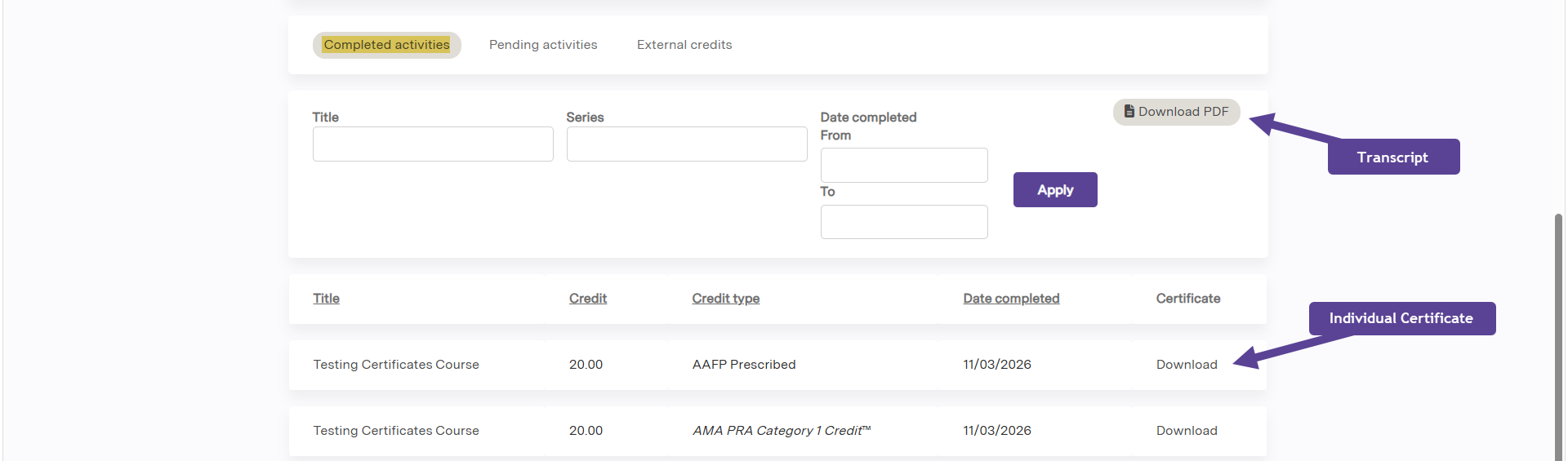
Need a copy of your continuing education records? Sign in to EthosCE to access your available certificates and credit transcript.
- Note: Transcripts from Highmarks won't be available until January 1, 2026.
Download PDF of Your Transcript or Individual Certificates: View My Transcript
● Questions or Need Assistance?
We're here to help make your transition to EthosCE as smooth as possible.
Contact the Office of Continuing Professional Development (OCPD) for assistance.